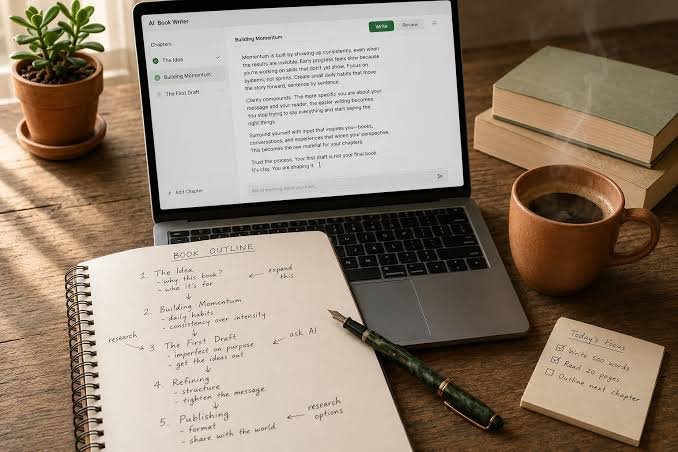
Most writers work in a loop that spans several tools. Draft in one window, paste into another to check, return to the first to revise. Every handoff is a small interruption, and the interruptions add up over a day.
Connecting a writing toolkit to an AI assistant collapses the loop. The draft, the check, and the revision all happen in one conversation, and the history stays visible.
The Loop, Redesigned
A simple version looks like this. Ask the assistant for a first draft from your notes. Read it and mark what is wrong or generic. Ask the connected detector to score it. Ask the rewriting tool to adjust rhythm where the score or your ear says it is stiff. Read again, edit by hand, and finish.
Nothing in that sequence requires copying and pasting between windows, which means nothing is lost, reformatted, or accidentally altered along the way.
What Each Step Is For
- Drafting gets structure and coverage onto the page quickly.
- Checking gives a quick, repeatable read on how the text scores.
- Rewriting adjusts rhythm and phrasing without changing meaning.
- Human editing adds the facts, examples, and voice no tool can supply.
Reading the Detector Score Sensibly
The detector reports a verdict, a percentage, and the number of flagged sentences. Treat that as a pointer to where to read most carefully, not as a ruling. Weber-Wulff and colleagues tested 14 detection tools and found that none exceeded 80 percent accuracy, so any single result deserves a second look.
Using the Connected Tools
With Phrasly MCP connected, the commands are plain language. Ask the assistant to check a paragraph, rewrite a section, or tell you how many words remain on your plan. It chooses the matching tool and returns the result inside the chat.
Apps that support prompts also offer slash commands for the common actions, which makes repeated workflows quicker.
For longer documents, a final read on the website with the AI detector can be useful, since a scan of the whole text gives a steadier score than checking one paragraph at a time.
Where It Saves the Most Time
Short, frequent tasks gain the most. Checking an email before sending it, tightening a paragraph in a report, or verifying a section of a blog post each take seconds when the tools are already in the conversation. The same tasks, spread across tabs, tend to be skipped.
That is the real benefit. Not that a step is faster, but that a step which used to be inconvenient actually gets done.
Keeping Quality High
Convenience can tempt a writer to accept whatever comes back. A few habits protect quality: always read the rewritten text, confirm every fact and figure, keep one detail per piece that only you could add, and save the draft before big changes.
Everything rewritten through the connection is saved to the Phrasly document history, which provides a record to return to if a change turns out to be unwanted.
Adapting the Workflow to Different Documents
A formal report needs a light touch on rhythm and a careful fact check. A newsletter wants more personality and stronger edits. An email needs speed. The same connected tools support all three, with the writer deciding how much to lean on each step.
A Sample Session
A marketing manager drafts a launch announcement from notes, asks the assistant to check it, and sees that two sentences are flagged. She asks for a lighter rewrite of those sentences, rereads them aloud, adds a customer quote, and sends the final text to her team. The entire exchange takes under ten minutes and lives in one thread.
- Draft from notes with the assistant.
- Check the full text and note flagged sentences.
- Rewrite only the flagged sentences.
- Add a human detail and verify every figure.
Where Not to Rely on It
Some content should stay entirely human, such as sensitive personal messages, legal commitments, and anything where authenticity is the whole point. A connected toolkit is best for routine professional writing, where polish and speed matter and the stakes of a small stylistic change are low.
Knowing where to stop is part of using any tool well, and it is easier to decide in advance than in the middle of a deadline.
Measuring Whether the Workflow Helps
Any new workflow should earn its place. A simple test is to track how long a typical piece takes from first draft to final, and how often it needs a second round of edits, before and after adopting the connected tools. Many writers find the largest gain is not in speed but in fewer last-minute changes.
Keep notes for a few weeks. If the workflow saves time without lowering quality, keep it. If it only adds steps, simplify it. The aim is a process that feels lighter, not busier.
Working With Colleagues
Teams benefit from sharing prompts and conventions. A short shared document describing how the team uses the connected tools, which prompts work well, and what to double-check before sending makes the benefits repeatable and helps newer colleagues get up to speed.
- Share three or four prompts that work well for your typical documents.
- Agree on what must always be verified by a person.
- Note which tasks are better done without any tool.
- Review the shared notes every few months.
Common Pitfalls
The most common pitfall is over-reliance: accepting rewritten text without reading it carefully. The second is skipping the fact check because the prose now sounds confident. Both are habits of speed, and both are avoided by treating the tools as helpers for polishing, not as a substitute for a final human read.
A Template You Can Reuse
A simple prompt sequence works for many documents. First, ask the assistant to draft from your notes. Second, ask it to check the draft and list any flagged sentences. Third, ask for a light rewrite of only those sentences. Fourth, read the result aloud and add one personal detail. Fifth, do a final fact check before sending.
Saving that sequence in a note makes it easy to repeat. After a few uses it becomes a habit, and the whole loop for a typical email or short article takes only a few minutes.
- Draft from notes.
- Check and list flagged sentences.
- Rewrite only what is flagged.
- Read aloud and add a personal detail.
- Verify facts and send.
Adjusting the Workflow Over Time
The first version of a workflow is rarely the best one. After a few weeks, notice which steps you skip, which you repeat, and which produce the most useful results. Trim the unused steps and double down on the valuable ones. A good workflow keeps changing in small ways as the work and the tools change.
Writers who review their process once a month often find easy wins, such as combining two steps into one prompt or moving the fact check earlier. Small adjustments like these keep the workflow light and keep it in use.
Writers who keep the process simple tend to stay with it. A short sequence they can remember, applied to every important piece, delivers most of the benefit, and anything more elaborate usually gets dropped within a few weeks once the novelty wears off.
A good writing process reduces friction without reducing judgment. Keeping drafting, checking, and refining in one conversation does the first, and the habits around reading, verifying, and adding a personal detail protect the second.
About the Author