
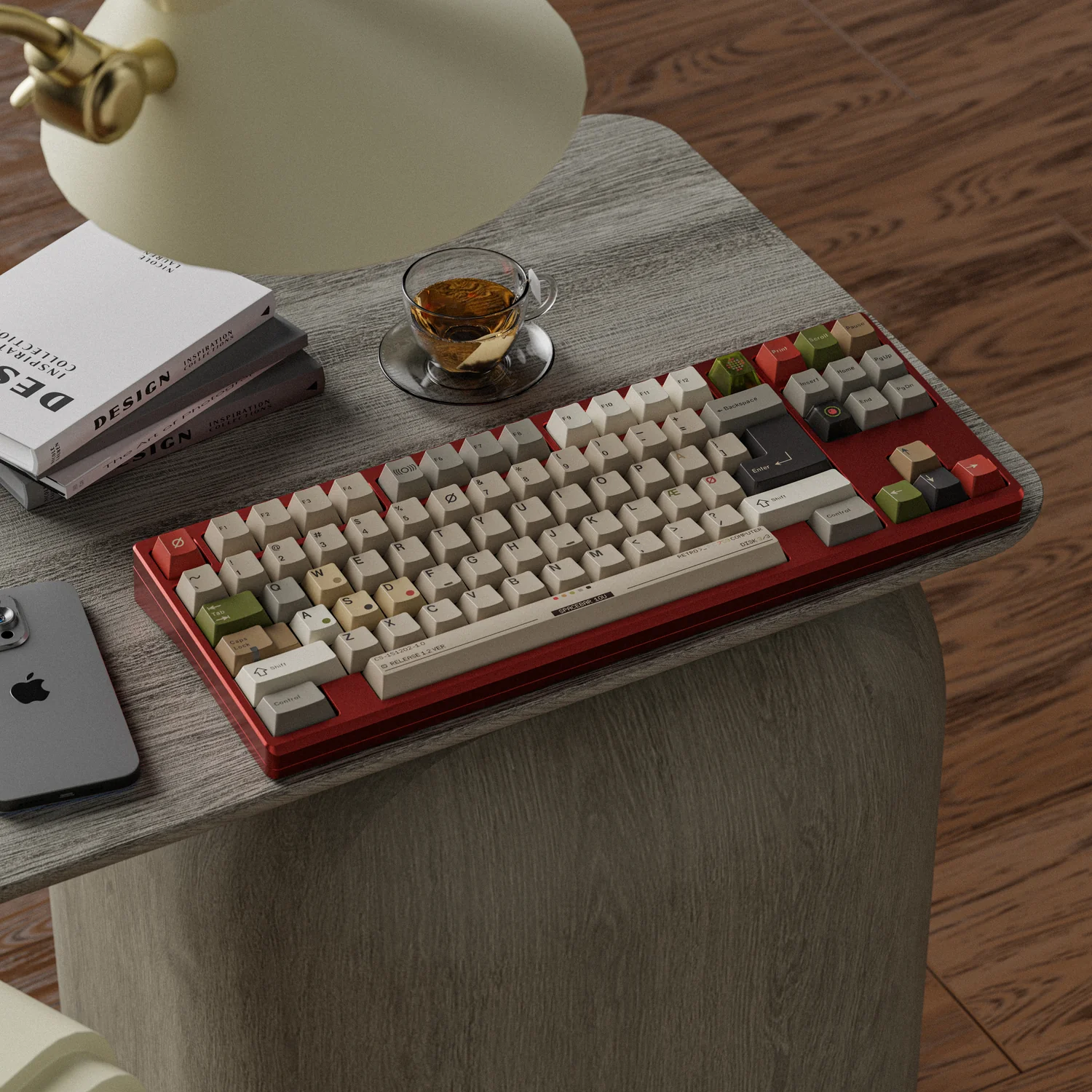
Choosing a mechanical keyboard is no longer just about deciding between a full-size board and a compact laptop-style keyboard. Today, keyboard layouts range from ultra-compact 40% and 60% designs to larger 75%, TKL, and full-size formats. Among them, the 65 keyboard has become a practical middle ground for people who want a smaller desk footprint without giving up dedicated arrow keys.
A 65% keyboard keeps the main typing area of a compact keyboard while adding arrow keys and a small navigation cluster. The result is a layout that can work well for gaming, office work, programming, and everyday browsing.
But is a 65 keyboard right for you? The answer depends largely on which keys you use most often and how much desk space you have. This guide explains what a 65% keyboard is, how its layout works, what features to look for, and where it makes the most sense.
What Is a 65% Keyboard and How Does It Work?
A 65% keyboard is a compact keyboard layout designed to retain the main alphanumeric section while removing several less frequently used key groups found on larger keyboards.
Compared with a full-size keyboard, a typical 65% layout removes the dedicated number pad and F-row. It also eliminates much of the traditional navigation cluster. However, unlike a 60% keyboard, it normally keeps a dedicated set of arrow keys.
The exact layout can vary between manufacturers, but the general idea remains consistent: reduce the keyboard’s width while preserving commonly used navigation functions.
Wooting describes the 65% layout as essentially a 60% keyboard with dedicated arrow keys. This distinction is important because arrow keys are useful for text editing, spreadsheets, web navigation, and many games.
For someone moving from a laptop or conventional keyboard, a 65 keyboard can therefore feel more familiar than a 60% model while still providing a significantly more compact setup.
How Many Keys Does a 65% Keyboard Have?
There is no single universal key count for every 65% keyboard. Most models have roughly 66 to 68 keys, although the number can vary depending on the layout and whether additional navigation or programmable keys are included.
The percentage refers to the approximate size or key grouping compared with a full-size keyboard, not a strict mathematical key count.
What Keys Are Included on a 65% Keyboard?
A typical 65 keyboard includes the complete alphanumeric area, modifier keys, a Backspace key, Enter, Shift, Ctrl, Alt, Windows or Command keys, and dedicated arrow keys.
Many designs also include one or more navigation keys, such as Delete, Page Up, or Page Down. The exact arrangement depends on the PCB and case design.
What Keys Are Missing From a 65% Keyboard?
The most obvious omissions are the number pad and dedicated F1–F12 row.
You will also generally lose the traditional six-key navigation cluster found on larger layouts. These functions may still be available through an Fn layer or programmable shortcuts, but they are no longer directly accessible from dedicated keys.
Why Is a 65% Keyboard So Popular?
The appeal of a 65 keyboard comes down to balance.
A full-size keyboard gives you almost every key you could need, but it also occupies considerable horizontal desk space. A 60% keyboard is much smaller, but some users find the absence of dedicated arrow keys inconvenient.
The 65% layout sits between these two extremes.
For example, imagine a typical gaming desk with a large mouse pad. A full-size keyboard can push the mouse farther toward the edge of the desk. A 65 keyboard leaves more horizontal room around the keyboard, which can be particularly useful for low-sensitivity FPS players who make broad mouse movements.
The same advantage can apply in an office. If you frequently switch between a keyboard and mouse, a narrower keyboard can leave more room for the mouse without requiring you to reposition the entire workstation.
Wooting has also noted that compact layouts can create additional mouse space, which is one reason smaller keyboards have become common in gaming setups.
Does a 65% Keyboard Save Desk Space?
Yes, compared with a full-size keyboard, a 65 keyboard generally takes up considerably less horizontal space because it removes the number pad and F-row.
This can be useful on small desks, shared workstations, and gaming setups where mouse movement matters.
The exact space savings depend on the case design, but the reduction in width is one of the main reasons people choose the layout.
Why Are Arrow Keys Useful on a Compact Keyboard?
Dedicated arrow keys are one of the biggest advantages of a 65% keyboard over a 60% keyboard.
They are useful when editing documents, navigating spreadsheets, moving through web pages, editing code, or controlling games. Instead of holding Fn and pressing another key, you can use the arrow cluster directly.
For users who frequently move a cursor through text, this small difference can make a compact keyboard much easier to live with.
Is a 65% Keyboard Comfortable for Everyday Typing?
For many people, yes, particularly if they rarely use a number pad or dedicated function row.
The important point is not simply the keyboard’s size. Keyboard height, angle, switch weight, keycap profile, and workstation setup all affect comfort.
The U.S. Occupational Safety and Health Administration (OSHA) recommends positioning the keyboard so that the wrists remain straight and the elbows stay comfortably close to the body.
A smaller keyboard can make desk positioning easier, but it does not automatically make a workstation ergonomic.
Modern 65 keyboards are available in a wide range of configurations, from inexpensive prebuilt models to enthusiast-oriented custom keyboards.
When shopping, it is worth looking beyond the layout itself.
| Feature | What to Consider |
| Switches | Linear, tactile, clicky, or magnetic/Hall Effect |
| PCB | Hot-swappable or soldered |
| Connectivity | USB-C, Bluetooth, or 2.4 GHz wireless |
| Keycaps | ABS, PBT, different profiles and legends |
| Mounting | Tray, gasket, top mount, or other construction |
| Software | Remapping, macros, lighting, and layers |
| Case | Plastic, aluminum, polycarbonate, or other materials |
Recent enthusiast keyboards also increasingly offer features such as hot-swappable PCBs, gasket mounting, VIA/QMK compatibility, wireless connectivity, and multiple switch technologies. Current 65% keyboard guides from the enthusiast community show how broad the segment has become, from affordable beginner boards to premium custom builds.
What Switches Can You Use With a 65% Keyboard?
A 65 keyboard can use many of the same switch types found in other mechanical keyboards.
Linear switches provide a smooth keystroke without a tactile bump and are popular with gamers and users who prefer a consistent feel.
Tactile switches provide noticeable feedback during the keypress and can be appealing for typing.
Clicky switches add an audible click along with tactile feedback, although they may not be ideal for shared offices.
Some newer 65% keyboards also use magnetic or Hall Effect switches. These can offer adjustable actuation and other software-based customization, depending on the keyboard.
What Is a Hot-Swappable 65% Keyboard?
A hot-swappable 65 keyboard allows compatible mechanical switches to be installed or replaced without soldering.
This is particularly useful for beginners. You can start with one switch type and later experiment with another without replacing the entire keyboard.
However, hot-swap compatibility is not universal. Before buying switches, check whether the PCB supports the switch type you want and whether the board uses compatible 3-pin or 5-pin mechanical switches.
What Keycap Options Are Available?
Keycap compatibility is an important consideration when buying a 65 keyboard.
Common materials include ABS and PBT. ABS keycaps can offer smooth surfaces and vibrant legends, while PBT is often chosen for its resistance to developing a shiny surface from prolonged use.
Profile also matters. Cherry, OEM, XDA, SA, and other profiles can produce different heights and typing sensations.
Some 65% layouts use non-standard right-side modifiers, so not every keycap set will fit perfectly. This is worth checking before purchasing an aftermarket keycap set.
Who Should Use a 65% Keyboard?
A 65 keyboard is particularly appealing to users who want a compact setup but do not want to give up dedicated arrow keys.
It can be a practical option for gamers, office workers, programmers, students, and anyone working with limited desk space.
At the same time, it is not necessarily the best choice for everyone. If you frequently enter numbers, a full-size keyboard or 96% layout may be more convenient. If you depend heavily on F1–F12 keys, a 75% or TKL keyboard may reduce the need for Fn shortcuts.
The key is to think about your actual workflow rather than choosing a keyboard based only on its appearance.
Is a 65% Keyboard Good for Gaming?
For many gaming setups, a 65% keyboard offers a useful combination of compactness and accessibility.
FPS players can benefit from the additional mouse space, while dedicated arrow keys remain available for games and general computer use.
If your games require numerous F-row shortcuts or a large number of macros, however, a larger layout may be more convenient.
Is a 65% Keyboard Good for Work and Productivity?
It can be, especially for users who primarily type documents, browse the web, write code, or work with standard productivity applications.
The dedicated arrow keys are helpful for navigating text and spreadsheets, while the smaller footprint leaves more room for a mouse, notebook, or other desk accessories.
For heavy numerical work, however, the lack of a dedicated number pad can become a noticeable limitation.
Is a 65% Keyboard Suitable for Small Desks?
This is one of the strongest use cases for a 65 keyboard.
A compact layout can leave additional room for a mouse and other equipment without forcing you to move the keyboard to an uncomfortable position.
If you are building a compact workstation, compare the keyboard’s actual dimensions rather than relying only on the “65%” label, because case designs can differ.
How to Choose the Right 65 Keyboard
Before buying, consider these five questions:
Do you need dedicated arrow keys?
If yes, a 65 keyboard may be more convenient than a 60%.
Do you use a number pad frequently?
If you work with accounting, spreadsheets, or data entry, consider a larger layout.
Do you want to customize switches?
A hot-swappable PCB provides more flexibility.
Will you use wireless connectivity?
Look for Bluetooth or 2.4 GHz support if a cable-free desk is important to you.
Do you plan to change keycaps?
Check the exact bottom-row and right-side modifier layout before buying aftermarket keycaps.
If you already know that the 65% layout fits your workflow, you can explore different options in the 65 keyboard collection and compare features such as switches, connectivity, case construction, and customization.
Conclusion
A 65 keyboard offers a compelling compromise between compactness and everyday usability. It removes the number pad and dedicated function row to reduce desk space while retaining the arrow keys that many people miss on a 60% keyboard.
That combination makes the 65% layout suitable for a wide range of users, from gamers who want more mouse space to office workers who want a smaller workstation.
The best choice ultimately depends on your workflow. If you rarely use the number pad and want dedicated arrow keys without moving up to a TKL or full-size keyboard, a 65% keyboard is worth considering. Pay attention to switch type, keycap compatibility, hot-swap support, connectivity, and physical dimensions before making your decision.
A compact keyboard is not automatically better or more comfortable. The goal is to choose a layout that matches the way you actually use your computer.
FAQs
What is a 65% keyboard?
A 65% keyboard is a compact keyboard layout that retains the main alphanumeric keys and dedicated arrow keys while removing the number pad and dedicated function row. Most models have around 66–68 keys, although the exact count varies.
How many keys does a 65% keyboard have?
Most 65% keyboards have approximately 66 to 68 keys. The exact number depends on the manufacturer’s layout and whether additional navigation or programmable keys are included.
Is a 65% keyboard good for gaming?
A 65% keyboard can work very well for gaming, particularly for FPS and other games where mouse space is important. Dedicated arrow keys are also convenient, while the compact width can leave more room for broad mouse movements.
Is a 65% keyboard good for typing?
For many users, yes. A 65 keyboard keeps the main typing area and dedicated arrow keys while removing less frequently used key groups. Your preferred switches, keycap profile, keyboard angle, and workstation setup will still have a major impact on the typing experience.
What is the difference between a 60% and 65% keyboard?
The main difference is dedicated navigation. A typical 60% keyboard does not have dedicated arrow keys, while a 65% keyboard adds an arrow-key cluster and often one or more additional navigation keys. This makes the 65% layout slightly larger but potentially more convenient for everyday use.
Is a 65% keyboard better than a TKL keyboard?
Neither layout is universally better. A 65 keyboard is smaller and can provide more desk space, while a TKL keyboard normally retains the dedicated F-row and a more conventional navigation cluster. Choose based on which keys you use regularly.
About the Author