
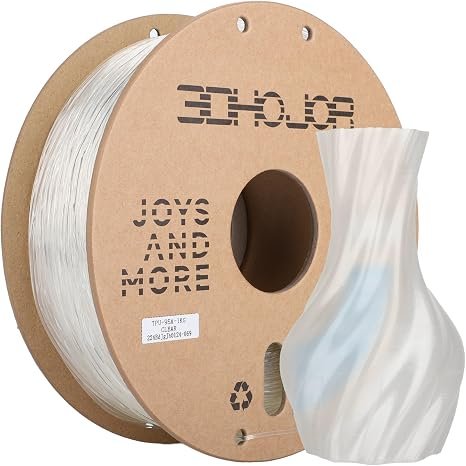
Choosing the right filament is an important step toward producing high-quality 3D printed parts. While rigid materials such as PLA and PETG work well for many projects, flexible materials offer additional possibilities for creating bendable, durable, and impact-resistant components. Among these options, thermoplastic polyurethane (TPU) is a popular choice for hobbyists, designers, and professionals.
However, not every TPU product offers the same flexibility, printability, or performance. Before purchasing Flexible 3D Filament, it is important to understand your printer’s capabilities and the requirements of your project. This buying guide explains the key factors to consider when selecting the right TPU Material for your 3D printing needs.
What Is TPU Filament?
TPU stands for thermoplastic polyurethane, a flexible thermoplastic known for its elasticity, abrasion resistance, and durability. Unlike rigid plastics, TPU can bend and compress under pressure, making it suitable for applications that require flexibility.
TPU is available in different hardness ratings, commonly measured on the Shore A scale. Softer grades generally offer greater flexibility, while firmer grades provide more resistance to deformation. TPU 95A is a popular option because it balances firmness and flexibility for many functional printing projects.
The final properties of a printed object depend on more than the material alone. Wall thickness, infill density, print orientation, and part geometry can all affect how flexible the finished product feels.
1. Check the Hardness Rating
One of the first things to consider when buying TPU is its hardness rating. This measurement helps indicate whether the material will feel relatively soft or firm.
If your project requires a soft, highly flexible component, a lower-hardness TPU may be suitable. For protective covers, grips, and functional accessories that need some flexibility while maintaining their shape, TPU 95A can be a practical choice.
Before purchasing, review the product specifications and consider how much bending or compression the finished part must tolerate.
2. Confirm Your Printer’s Compatibility
Not every 3D printer handles flexible materials equally well. TPU can compress or buckle when pushed through an extruder, especially if the filament path is not properly supported.
A direct-drive extruder often provides better control because the distance between the drive gears and hotend is shorter. Some Bowden-style printers can also print TPU, but they may require more careful adjustments.
Before choosing a Flexible 3D Filament, check your printer manufacturer’s recommendations. Confirm that the extruder can feed TPU reliably and that the hotend supports the filament’s recommended printing temperature.
3. Evaluate Filament Quality
Material quality plays an important role in print consistency. A good TPU product should have clear specifications and reliable manufacturing standards.
Consider these factors when comparing products:
- Consistent diameter: Helps maintain predictable extrusion.
- Reliable winding: Reduces the risk of tangles and feeding interruptions.
- Clear printing instructions: Makes it easier to configure your printer.
- Protective packaging: Helps reduce moisture exposure during shipping and storage.
- Technical information: Provides details about hardness, temperature requirements, and material properties.
Choosing a product with clear documentation can save time during setup and troubleshooting.
4. Review Printing Temperature Requirements
Different TPU formulations may require different nozzle temperatures. Using an unsuitable temperature can lead to poor extrusion, weak layer bonding, or excessive stringing.
Always begin with the manufacturer’s recommended temperature range. Print a small test object and adjust the temperature gradually until extrusion becomes consistent and the layers bond properly.
You should also check the recommended bed temperature and build-surface requirements. These details can help you achieve a more reliable printing process.
5. Consider Printing Speed and Ease of Use
Flexible filament often requires slower printing speeds than rigid materials. Printing too quickly can cause the filament to compress or buckle inside the extruder, resulting in inconsistent extrusion.
If you are new to TPU, begin with conservative speed settings. Once the filament feeds reliably, you can gradually increase the speed and evaluate the results.
Retraction settings also matter. Excessive retraction can contribute to filament buckling or inconsistent feeding, so start with modest settings and make adjustments based on test prints.
6. Match TPU Material to Your Application
The best TPU Material depends on the purpose of your printed object. Consider the expected movement, friction, impacts, and environmental conditions before selecting a product.
Common applications include:
- Protective cases: Flexible covers for devices, tools, and accessories.
- Custom grips: Handles and components that benefit from a comfortable surface.
- Gaskets and seals: Parts designed for suitable sealing and cushioning tasks.
- Wearable accessories: Flexible bands, straps, and selected wearable components.
- Bumpers: Parts intended to soften everyday impacts.
- Functional prototypes: Flexible designs used for product testing and development.
For specialized applications involving food contact, high temperatures, chemicals, or safety-critical components, verify that the specific filament is suitable for those conditions.
7. Check Moisture Resistance and Storage
TPU can absorb moisture from the surrounding air. Moist filament may produce popping sounds, stringing, rough surfaces, and other print-quality problems.
Look for packaging that protects the filament from moisture. After opening the spool, store it in a sealed, dry container. If drying becomes necessary, follow the manufacturer’s recommended procedure and temperature.
Proper storage helps maintain consistent material performance and can reduce printing problems over time.
8. Compare Price and Overall Value
Price matters, but choosing the cheapest filament does not always provide the best value. Compare the material’s specifications, spool quality, packaging, compatibility, and manufacturer support.
Reading customer feedback may help identify recurring issues, but prioritize clear technical information when making your decision. If you are trying a new brand or formulation, testing a smaller quantity first can reduce waste and help you evaluate its performance.
Conclusion
Choosing the right TPU filament requires careful consideration of hardness, printer compatibility, material quality, printing settings, and intended use. By evaluating these factors, you can select a Flexible 3D Filament that matches your project’s requirements and your printer’s capabilities.
The right TPU Material can help you produce flexible covers, grips, cushioning components, and other functional parts with reliable results. Start with the manufacturer’s recommendations, test your settings, and store the filament properly to get the most out of your next 3D printing project.
About the Author