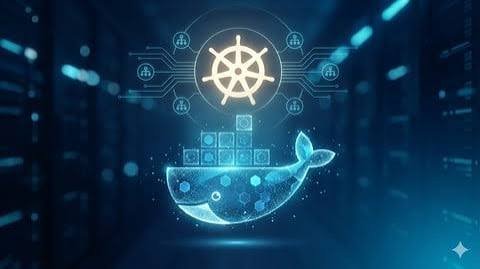
A full stack project will generally have a number of pieces in it: a frontend, a backend API, a database and sometimes a cache or message queue. Each of those pieces will have specific version requirements for the language, the libraries and the tools that it uses. If code that works perfectly on a developer’s laptop fails on a server, it’s almost invariably going to be down to the difference between the two environments. Containerisation is the answer to that. It packages an application with everything it needs to run. Docker and Kubernetes are the two tools that are used most widely for containerisation. This article looks at what containers are, how Docker works, how Kubernetes can manage containers at scale and how both of those fit into a typical full stack project.
What Is Containerization?
A container is a light weight isolated package that contains the application code, the runtime, the libraries and the config. It runs the same way on any machine that has a container engine.
Containers vs Virtual Machines
A VM has a full guest OS so it’s bigger and takes longer to start. A container shares the host system’s kernel and contains only what the app needs. The result is that containers start in seconds, use a lot less resources and allow many services to run on a single machine.
Key Benefits
- Consistency: the same container runs in dev, test and production.
- Isolation: each service has its own dependencies so the projects don’t conflict with one another.
- Portability: containers can move between laptops, on-prem servers and the cloud.
- Faster onboarding: new team members can be up and running with a full project in just a few commands.
Docker: Building and Running Containers
Docker is a platform for building and running containers. It’s built on a very small number of core principles.
Images and Containers
An image is a read only template that defines the app and its environment. A container is a running instance of an image. You can start many containers from the same image.
The Dockerfile
A Dockerfile is a text file containing the instructions for building an image. A simple Dockerfile for a Node.js backend might look like this:
dockerfile
FROM node:20-alpine
WORKDIR /app
COPY package*.json ./
RUN npm install
COPY . .
EXPOSE 3000
CMD [“node”, “server.js”]
The docker build command creates the image and docker run starts a container from it.
Docker Compose for Multi-Service Projects
Full stack apps are extremely unlikely to be running as a single service. Docker Compose allows you to define multiple services in a single YAML file (e.g. a React frontend, an Express API and a PostgreSQL database). A single ‘docker-compose up’ will then get all of them running together on a shared network. Very useful for local development and for small deployments.
Kubernetes: Managing Containers at Scale
Docker works perfectly well on a single machine. In a production environment though you’re very likely to be running a massive number of containers across a number of servers. That’s where Kubernetes comes in. It’s the tool that automates that. It was developed by Google and is now maintained by the Cloud Native Computing Foundation.
Core Kubernetes Objects
- PoPod: The smallest deployable unit, usually a single container.Deployment: How many copies of a pod should be running and how updates are managed.
- SeService: Gives the pods a stable network address so they can communicate with each other.Ingress: routes traffic outside of the web to the correct service.
- CoConfigMap and Secret: keep your config values (and your sensitive data such as passwords) separate from your code.What Kubernetes Handles for You
- Self healing: it will restart or replace any containers that fail.
- ScScaling: it can add or remove pod copies as required and can scale automatically based on CPU usage.Rolling updates: they roll out the old versions gradually which minimises the downtime during a release.
- LoLoad balancing: spreads the traffic across the healthy pods.KuKubernetes is harder to learn than Docker. For a small project Docker Compose is probably more than sufficient. The value of Kubernetes increases as your traffic increases, as your team increases and as the number of services you have increases.A Typical Full Stack Workflow
- Write a Dockerfile for each service (the frontend and the backend).
- UsUse docker-compose to run the whole app locally.Push the images to a container registry (e.g. Docker Hub or a cloud provider’s registry).
- WrWrite the Kubernetes manifests which define the deployments, services and ingress rules.AuAutomate the build and deployment via a CI/CD pipeline.LoLots of the full stack developer classes now cover those steps. Employers expect their developers to have an understanding of the packaging and deployment of an application as much as they expect them to have an understanding of how to code it.Conclusion
CoContainerisation gives the full stack team a reliable way to build, share and run applications in all the different environments. Docker takes care of the packaging and local development. Kubernetes is what runs the containers in production, providing the ability to scale, self heal and update seamlessly. Getting to know both of these tools (either on your own or via a full stack developer course) is the way to be fully equipped to work on modern projects from the very first line of code right through to deployment.
About the Author