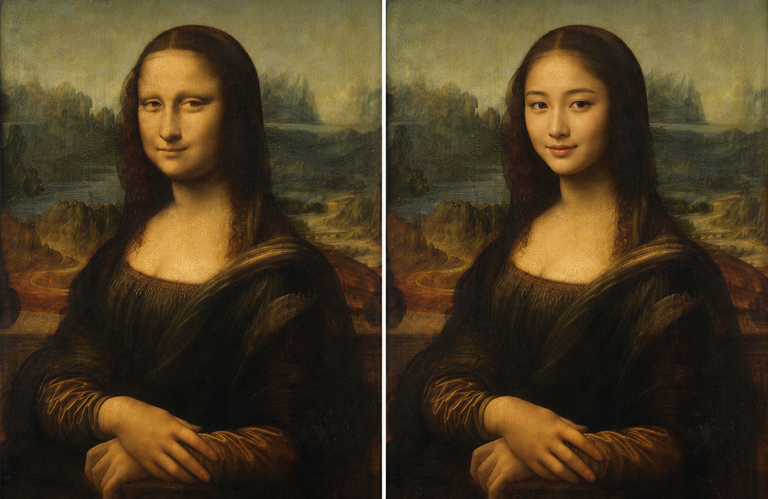
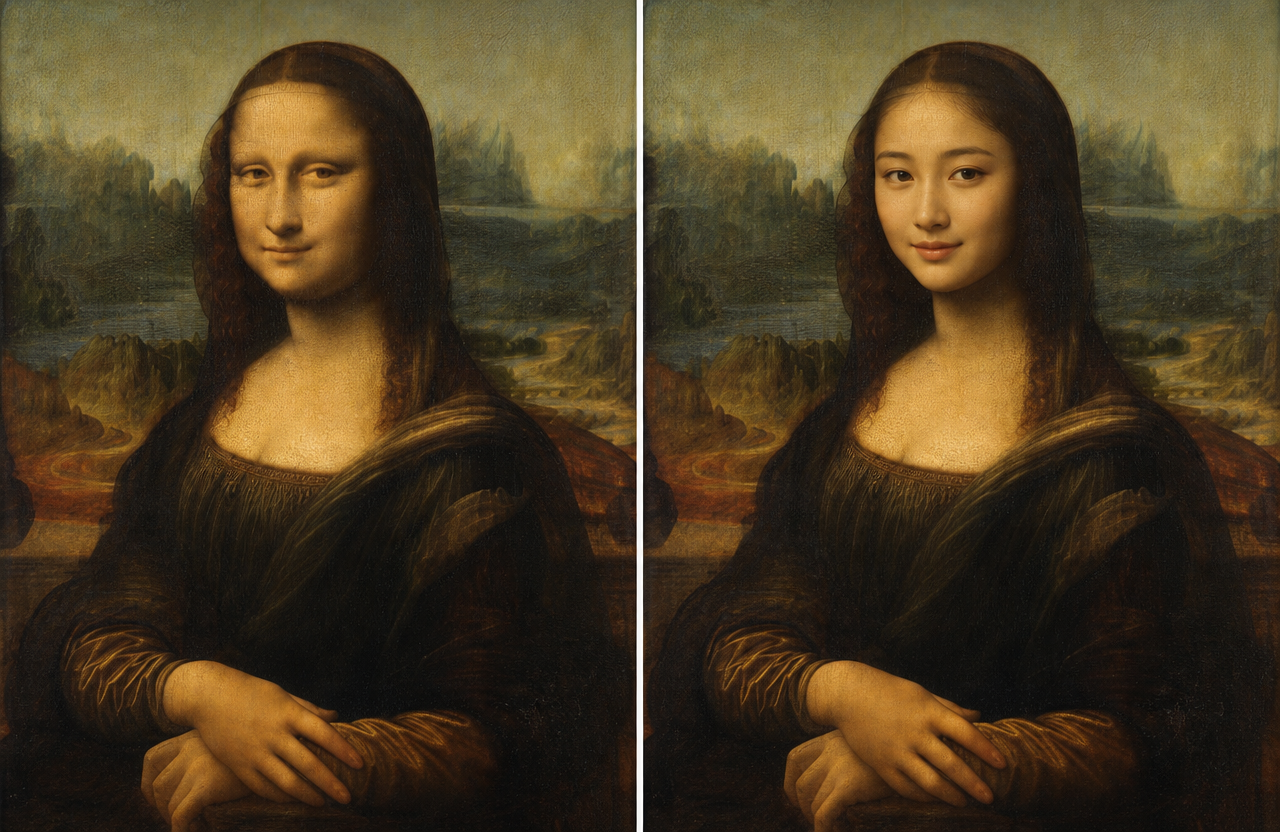
A good face swap gives viewers a reason to watch twice. The best ideas aren’t just random edits. They create a joke, reveal a surprising transformation, or put your face into a story people already understand. With the right clip, even a simple swap can become a strong TikTok or Instagram Reel.
You can create many of these effects with EasyFaceSwap, especially when you want to test several photos and concepts before choosing the final edit. Start with a clear face, even lighting, and a short video where the subject stays visible. Those small details usually make the result look more natural.
For moving clips, the Video Face Swap tool is useful for turning a single joke into a complete scene. Keep your first attempt between five and fifteen seconds. Short videos are easier to edit, easier to understand, and less likely to lose viewers before the payoff.
10 Face Swap Ideas to Try
1. Swap Faces With Your Favorite Movie Character
Put your face into a famous movie moment, but choose a scene people can recognize without needing much explanation. A dramatic entrance, an exaggerated reaction, or a memorable dance works better than a quiet conversation. Match your expression to the original actor if you want the edit to feel more convincing.
The key feature is recognition: viewers should understand the reference within the first second or two. The main advantage is that familiar scenes can attract attention quickly, while the drawback is that the joke may depend on copyright protected footage or a trend that fades. This idea is best for creators who enjoy acting, pop culture, and short reaction clips.
2. Turn Yourself Into a Different Age
Create a quick “then and now” video by swapping your current face with an older or younger version of yourself. You can make it sincere, funny, or deliberately dramatic by pairing the transformation with a caption such as “Me at 8 a.m. versus me after coffee.” A simple change in lighting or clothing can make the transition more believable.
The strongest feature is the before-and-after reveal, so don’t show the finished face too early. The pro is that this concept works without a complicated storyline, while the con is that an unrealistic face can distract from the joke. It’s best for personal accounts, birthday posts, family-friendly humor, and transformation content.
3. Put Your Face on a Celebrity Red Carpet Clip
Use a short red carpet walk, interview reaction, or award show moment and replace the celebrity’s face with yours. Add a caption that explains why you’re attending, such as “When they finally invite me to the meeting.” A confident pose can sell the illusion more effectively than a perfect digital match.
The main feature is the contrast between an ordinary situation and an extravagant setting. This idea is easy to understand and can make a strong Reel, but it may feel forced if the face doesn’t follow the camera angle or lighting. It works best for creators who use dry humor, fashion jokes, or mock luxury content.
4. Make a Friend Become the Main Character
Swap your friend’s face into a heroic, glamorous, or ridiculous video and send it to them before posting. You might turn them into a superhero, a pop star, or the lead in an overdramatic romance scene. Their reaction can become a second video, giving you more content from the same idea.
The key feature is personalization, since the face swap means more when it involves someone your audience knows. The benefit is strong shareability, while the risk is making someone uncomfortable if you post without asking. This concept is best for group accounts, creator duos, and friends who already enjoy playful editing.
5. Recreate a Famous Music Video
Choose a recognizable dance, costume, or camera move, then replace the performer’s face with yours. You don’t need to recreate the entire video. A five-second section with one strong visual moment often gives better results and keeps the edit focused.
The important features are rhythm, movement, and a clear face during the swap. This can perform well because music videos already provide energy, but fast cuts and heavy shadows can make the result look unstable. It’s best for dance creators, lip-sync accounts, and anyone comfortable timing edits to a beat.
6. Swap Faces During a Recipe Video
Turn a normal cooking clip into a character comedy sketch by putting your face on the chef, a confused customer, or even a badly behaved food critic. Add a caption that changes the meaning of the scene, such as “Me pretending I know what simmer means.” The humor comes from treating a simple recipe like a serious performance.
The useful feature is the built-in sequence of actions, from preparation to final result. The upside is that food content gives viewers a natural reason to keep watching, while the downside is that steam, fast hand movements, and side profiles may reduce face quality. This idea suits creators who make cooking, home, or everyday comedy videos.
7. Create a “Wrong Universe” Video
Place your face into a world where you clearly don’t belong. You could appear as a medieval king ordering takeout, a space explorer looking for Wi-Fi, or a serious news presenter discussing your missing socks. The stranger the contrast, the more important it becomes to keep the caption short and clear.
The core feature is the mismatch between your face and the setting. This gives you plenty of creative freedom and can work with simple footage, but abstract jokes may need extra context to land. It’s best for writers, sketch creators, and accounts that use surreal or unexpected humor.
8. Swap Faces in a Family Photo Montage
Build a short video from old family photos, then use face swaps to create a playful history of one person. You might show yourself as a baby, a teenager, and an imagined future version. Add gentle music and a final reveal instead of relying only on a punchline.
The main feature is the emotional progression from one image to the next. The advantage is that viewers often connect with family stories, while the limitation is that low-resolution photos may produce less convincing results. This idea works best for birthdays, reunions, anniversaries, and personal storytelling.
9. Make a Split-Screen “Me Versus Me” Debate
Use two clips with different faces to act out an argument between two versions of yourself. One side could be responsible and organized, while the other wants to cancel plans and order food. Keep each response short so the conversation feels quick rather than repetitive.
The key features are contrast, timing, and clear character roles. The pro is that you can create a complete sketch alone, while the con is that poor eye lines or mismatched camera angles may make the dialogue feel unnatural. This format is ideal for relatable comedy about work, relationships, money, food, and procrastination.
10. End With a Face Swap Plot Twist
Begin with an ordinary video and let viewers assume they know what’s happening. Then reveal that the main character has your face, a friend’s face, or an unexpected fictional persona. The reveal might happen at the final beat, after a camera turn or a change in music.
The most important feature is pacing, since the surprise only works if you protect it until the end. The benefit is strong replay value, but the risk is that a slow setup can lose viewers before the twist arrives. This is best for creators who understand timing and can write a clear opening caption.
Quick Comparison
| Idea | Main appeal | Best for | Main challenge |
|---|---|---|---|
| Movie character | Instant recognition | Pop culture creators | Footage and lighting |
| Different age | Simple transformation | Personal accounts | Realistic aging |
| Red carpet | Luxury contrast | Fashion humor | Matching angles |
| Friend as main character | Personal humor | Groups and duos | Getting permission |
| Music video | Energy and rhythm | Dance creators | Fast movement |
| Recipe video | Everyday comedy | Food accounts | Steam and side views |
| Wrong universe | Unexpected humor | Sketch creators | Explaining the joke |
| Family montage | Emotion and nostalgia | Personal stories | Photo quality |
| Split-screen debate | Relatable dialogue | Solo comedians | Timing and eye lines |
| Plot twist | Replay value | Storytellers | Protecting the reveal |
How to Make the Result Look Better
Choose source footage with a front-facing subject and steady camera movement. A well-lit face with visible eyes usually works better than a dramatic shot with strong shadows. If the person turns away, covers their face, or moves too quickly, the swap may flicker or lose its shape.
Keep the edit short and build toward one clear moment. Add captions because many people watch without sound, but don’t cover the face with oversized text. It also helps to preview the video several times on a phone, since an effect that looks convincing on a large screen may appear distracting in a small feed.
Ask for permission before using another person’s face, especially in a public post or paid campaign. Avoid presenting a face swap as real when it could mislead people, damage someone’s reputation, or create confusion about an important event. The funniest edits are usually the ones that make the trick clear while still giving viewers a satisfying story.
Final Recommendation
Start with the “me versus me” debate or the different-age transformation if you’re new to face swap videos. Both ideas are easy to understand, work with short clips, and don’t require an elaborate setting. Once you’re comfortable with timing and face placement, try the plot twist or wrong-universe concept for a more original style.
The strongest TikToks and Reels usually combine a recognizable setup with a personal joke. Use the face swap to support the idea, not replace it. A clear caption, a quick reveal, and a respectful approach will do more for your video than adding an effect simply because it looks impressive.
About the Author