
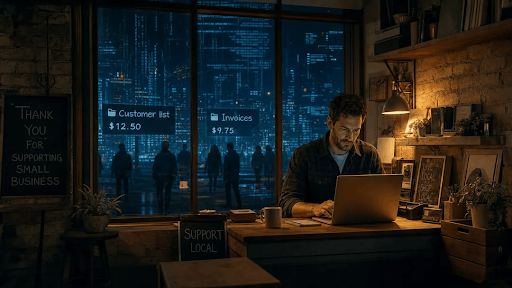
It is reasonable to think that cybercriminals are only interested in banks, hospitals and well-known companies. However, this is not the way the criminal economy works. A small local accountancy firm, an online shop selling hand-crafted goods or a five-person marketing agency can hold exactly the type of data that is in demand. This includes customer details, staff logins, invoices and payment information.
When such information is stolen, it usually ends up being sold in hidden parts of the internet. Owners typically don’t become aware of it until a problem occurs. This guide outlines what this underground market is, why small companies are targeted, which kinds of data are most vulnerable, and what you can do without a large budget or an in-house IT team.
What Is the Dark Web, in Simple English?
The internet that you use daily, including search engines, online shops and social media, is only one part of the whole. Underneath it is a much bigger area of private content like email inboxes and online banking. Within that lies the dark web, a small network of websites that cannot be found via Google and can only be accessed using special software such as the Tor browser.
The dark web was created with privacy in mind and does have genuine users, such as journalists and people living in countries with censorship. At the same time, the anonymity it provides draws in criminals, who use its forums and marketplaces to buy and sell stolen data, hacking tools and access to company systems.
If you want to know about the technical side, there are guides that explain how to access dark web sites safely and what the risks are. However, for most business owners the important point is much simpler. You don’t need to go there yourself to protect your business. You only need to know what is being traded there and how to keep your information out of it.
Why Small Businesses Are Easy Targets
Criminals generally don’t select their victims by name. Instead, they look for the easiest way in, and small businesses often provide it.
- Fewer defences. Many small companies have no security staff of their own, and protection usually falls to the person who is “good with computers”.
- Shared and reused passwords. It is common for small teams to share one login between several people or use the same password across many different tools.
- Useful connections. Small suppliers frequently have access to larger clients’ systems or data, which makes them a handy stepping stone.
- Slower detection. Without monitoring tools, a break-in can go unnoticed for months, giving criminals plenty of time to copy and sell what they find.
- Pressure to pay. A small business that loses access to its systems may feel it has no alternative but to pay the ransom quickly.
What Kind of Business Data Ends Up for Sale
It’s not just passwords. Almost anything that can be used to earn money, commit fraud or deceive people has a buyer.
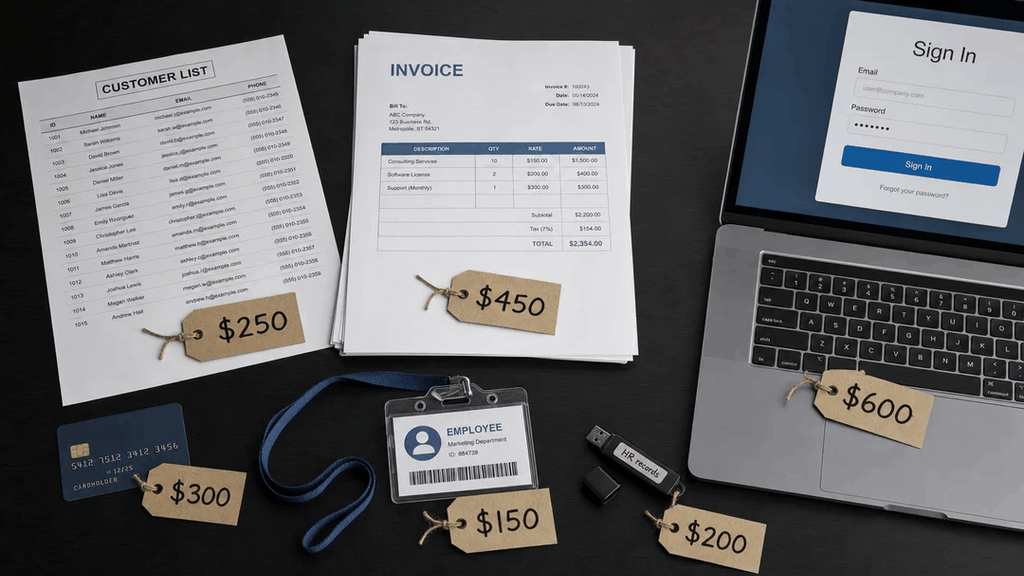
| Type of data | Example | How criminals use it |
| Staff logins | Email, cloud storage, accounting software | Break into systems, send fake invoices |
| Customer records | Names, addresses, phone numbers, order history | Phishing, identity fraud, targeted scams |
| Payment details | Card numbers from a hacked online checkout | Fraudulent purchases |
| Financial documents | Invoices, bank statements, tax records | Payment fraud, impersonating your business |
| Remote access | VPN or remote desktop logins | Sold to ransomware gangs |
| Internal files | Contracts, price lists, HR records | Extortion, selling to competitors or fraudsters |
Even a simple mailing list has value, since it gives scammers real names and email addresses to target.
Warning Signs Your Data May Already Be Out There
There is rarely a single clear clue, but these signs should be taken seriously.
- Customers report suspicious emails or phone calls that mention real details about their orders.
- Employees receive password reset emails or login alerts they had not asked for.
- Your email account has new forwarding rules or sent messages that nobody remembers writing.
- Suppliers ask why your bank details have “changed”.
- Your account login history shows unknown devices or locations.
- Your bank or card processor flags unusual transactions linked to your business.
If you notice any of these, take quick action instead of waiting to see if it happens again.
How to Check Without Going There Yourself
You can discover a great deal without spending a lot of money or putting your own devices at risk.
- Run a free breach check. You can use services like Have I Been Pwned to search for your business email addresses in known data breaches. Begin with your own email address and those of anyone who has access to money or admin rights.
- Turn on built-in alerts. Many password managers, web browsers and business email services now warn you when a saved password has appeared in a data leak.
- Ask your IT provider or your bank. If you use an external IT company, find out whether they provide dark web monitoring. It is also included in some business banking and insurance packages.
- Check your account activity. Each month, spend ten minutes looking at the login history and email settings on your most important accounts.
- Consider a paid monitoring service if you hold a large amount of customer data or payment information. These services continuously check leaked data sources and notify you whenever your company’s information appears.
A Simple, Low-Cost Protection Checklist
Good security for a small business is mainly a matter of good habits rather than costly software. Work through this list and you’ll be ahead of many companies your size.
- Turn on two-step verification for your email, banking, accounting and cloud storage.
- Give each staff member their own login rather than using a shared account.
- Use a password manager so everyone has strong and unique passwords.
- Keep computers, phones and website plugins up to date.
- Back up your files regularly and keep one copy offline.
- Use a reliable payment provider rather than storing card details yourself.
- Collect and keep only the customer data you actually need.
- Remove access for former staff and freelancers when they leave.
- Agree a simple rule that any change to bank details must be confirmed by phone.
- Give your team a quick refresher on spotting phishing emails every few months.
Final Thoughts
Small businesses are not too small to go unnoticed. In fact, they often attract attention precisely because they appear to be easy targets. Criminals can gain real value from the data you hold about your customers, staff and finances, and some of it may already be circulating without your knowledge.
The good news is that the best forms of protection are both simple and inexpensive. Check your exposure, plug the easy gaps, and make security a routine habit rather than a one-off task. That way, even if your data does end up somewhere it shouldn’t, it will be of much less value to those trying to profit from it.
About the Author