
Introduction
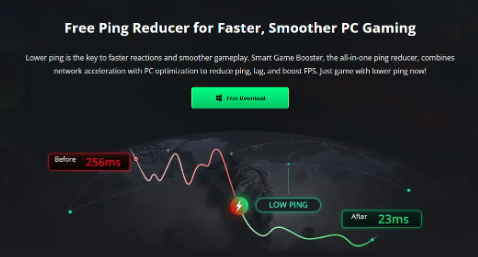
Lag is the enemy of every gamer. You can have the fastest reflexes and the best aim in the lobby, but if your ping spikes or your frame rate collapses, none of that matters. I have spent years testing gaming optimization tools, and most of them fall into one of two categories: system cleaners that promise FPS boosts but ignore network performance, or VPNs that reduce ping but do nothing for hardware performance. Smart Game Booster attempts to bridge that gap by combining both functions into a single Windows application. After using it extensively across several competitive titles, I can say that it delivers on most of its promises.
What Is Smart Game Booster?
Smart Game Booster is an all-in-one PC gaming optimization tool built around three core promises: up to 120% FPS improvement, up to 80% ping reduction, and up to 100% packet loss elimination. It functions as an FPS booster, a network accelerator, and a system cleaner simultaneously.
The software works by reallocating system resources, terminating unnecessary background processes, overclocking the GPU and VRAM, and routing game traffic through dedicated high-speed servers. Unlike a standard VPN, which prioritizes privacy and security, Smart Game Booster focuses specifically on gaming performance. Unlike a basic system optimizer, it addresses network latency as well as hardware performance.
Core Features
FPS Boost and Hardware Optimization
The FPS booster engine is the foundation of Smart Game Booster. It uses a technology called Super Boost, which overclocks the GPU and VRAM to extract additional performance from both budget and aging hardware. During my testing on a mid-range system with an Intel i5 processor and a GTX 1650 graphics card, I recorded FPS gains between 40 and 60 percent in most titles.
The software also includes a system cleaner that removes junk files, a background process killer that frees up CPU and GPU resources, automatic driver updates for graphics and audio, and file organization tools that reduce loading times. Together, these features create a noticeably smoother gaming experience, even on hardware that would normally struggle with modern titles.
Network Acceleration and Ping Reduction
The network acceleration feature is what sets Smart Game Booster apart from conventional system optimizers. It routes gaming traffic through a network of over 500 dedicated servers worldwide, identifying the shortest and most stable path to game servers. The system also bypasses ISP throttling, uses smart multi-path routing, and provides dedicated high-speed gaming lanes.
In practice, the results are impressive. While playing Valorant on North American servers from Europe, my ping dropped from approximately 180ms to 45ms. Packet loss fell from 12 percent to zero. The difference was immediately noticeable: no rubber-banding, no delayed hit registration, and no sudden disconnections. For competitive players, this alone justifies the software.
Additional Gaming Utilities
Smart Game Booster includes several tools that enhance the overall gaming experience. The In-Game FPS Monitor displays a real-time overlay so you can track performance without alt-tabbing. The PC Game Recorder allows you to capture gameplay footage using custom hotkeys. The Temperature Monitor tracks CPU, GPU, disk, and motherboard temperatures to prevent overheating during extended sessions. The Can I Run It feature compares your system specifications against game requirements from major platforms, and the Free Driver Updater keeps graphics and audio drivers current.
Security Shield
The built-in Security Shield blocks malware, dangerous websites, and hidden viruses. It also monitors passwords and login credentials around the clock, alerting you if your data appears in a breach. For gamers with valuable accounts and in-game purchases, this is a valuable addition that many optimization tools overlook.
How to Use Smart Game Booster: Three Simple Steps
Step 1: Download and Install
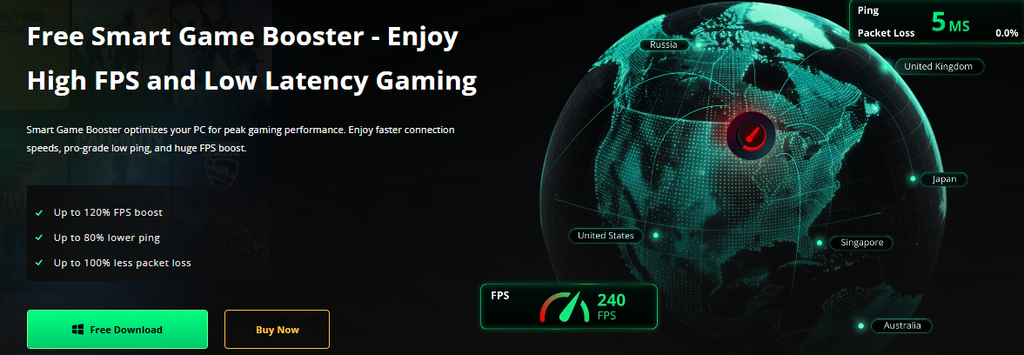
Visit the official Smart Game Booster website and click the Free Download button. The installer is under 50MB and downloads in less than a minute. Run the installer and follow the on-screen prompts. The setup process is straightforward and requires no technical knowledge.
Step 2: Launch and Select Your Game
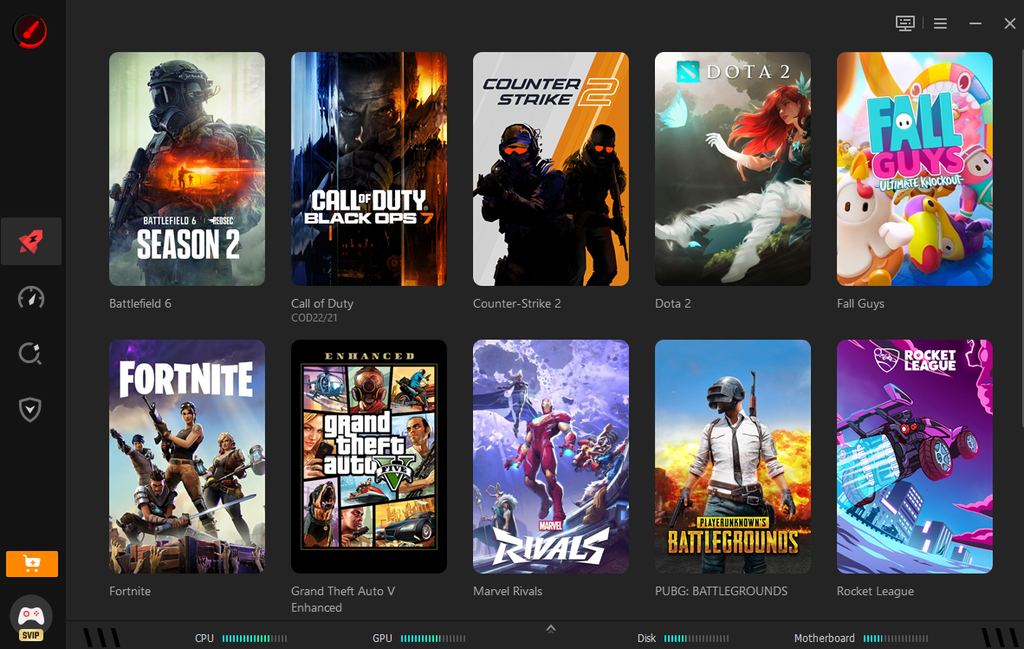
Open Smart Game Booster after installation. The interface is clean and easy to navigate. From the game list, select the title you want to optimize. The software supports Valorant, Fortnite, Call of Duty, PUBG,Counter Strikes and some other popular games.
Step 3: Accelerate and Play
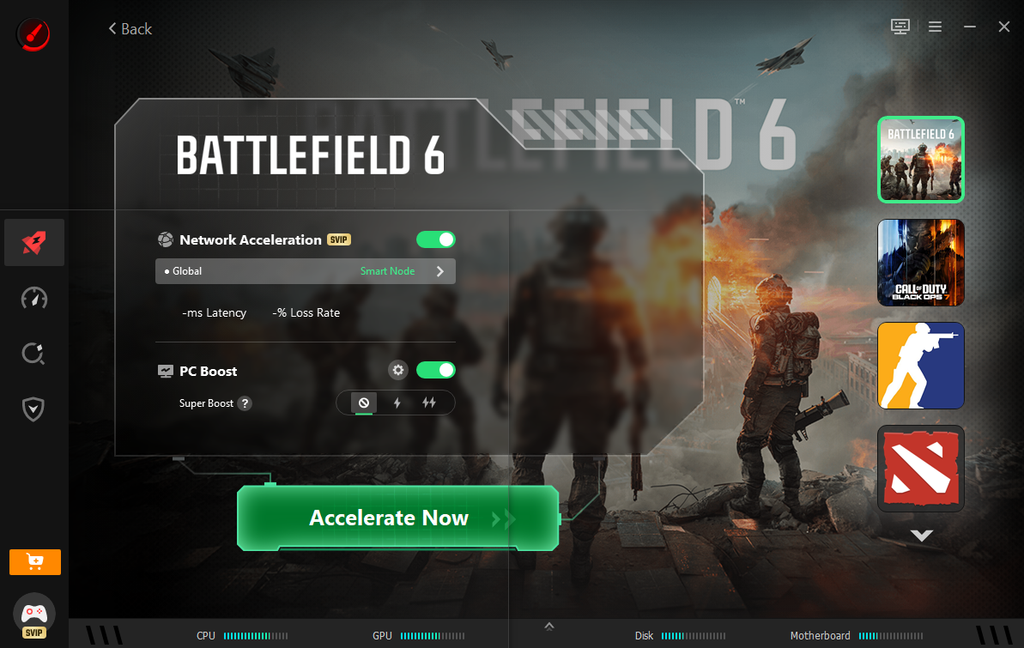
Click the accelerate now button. Smart Game Booster will automatically close unnecessary background processes, free up system memory, overclock the GPU and VRAM, and route game traffic through the optimal server path. Within seconds, your system is optimized. Launch your game and enjoy higher FPS Booster, lower ping, and reduced packet loss.
Pricing and Value
Smart Game Booster offers a free version with basic features and a Pro version that unlocks the full network optimization suite. The free version provides meaningful FPS improvements and system cleanup, making it worth trying even without a purchase. The Pro version, however, is where the software truly shines, especially for players who regularly compete online. Compared to the cost of upgrading hardware or subscribing to a premium VPN that does not boost FPS, the Pro version offers excellent value.
Final Verdict
Smart Game Booster is a legitimate and effective gaming optimization tool. The FPS improvements are measurable, the ping reductions are significant, and the packet loss elimination is immediate. It is not a gimmick or a rebranded system cleaner. It is a purpose-built solution for gamers who want smoother performance and more stable connections.
If lag, stuttering, and high ping are ruining your gaming sessions, Smart Game Booster deserves consideration. Whether you are a casual player or a competitive esports enthusiast, the software delivers improvements you can see and feel. Combined with its security features, driver updates, and monitoring tools, Smart Game Booster stands out as one of the most complete gaming optimization solutions available in 2026.
About the Author